LOVEEEEE THE UPDATE <3 i knew you charted a lot of chapter 3, but ALL OF IT!? omfgggg yessssss AND ALSO BEING ABLE TO SORT CUSTOM MAPS <33333 wonderful update!! hope there'll be one for ch 4 at some point!!
OH BTW FOR PEOPLE WHO USE CUSTOM MAPS: if you notice some maps don't show up in the menu, try naming all the files within that song's folder the exact same name as the folder itself! if even one file is not the same as the folder it causes it to disappear from the custom maps menu, but it'll reappear after naming it correctly.
edit: almost forgot, there's also an error that if a song has a period in the name (.), the period and anything after that will fail to show in the menu select.
Thanks, glad you like it! Yes the next major update will be Ch4 maps.
Yes they all need to have the same name, just because of the way the loading works internally. I'll hopefully be able to fix that at some point.
Oh yeah I'll also have a look into allowing periods in the name, pretty sure it's just because of the way it deals with removing the files extensions in the name, should be fixable I think.
This game is actually amazing, good job! I no-miss'd THE WORLD REVOLVING, and it was very fun. You should add a pause menu, where you can adjust the sound and latency offset mid game, instead of exiting and going to the guy.
Yeah the notes spawning inside the box is a known issue, it just happens when there's too much lag unfortunately. I'd like to try to fix it at some point
I was literally just thinking about how much fun a Deltarune rhythm game would be and how I would make it lol still might, but not until I've beaten all of these songs!!
I don't know if I installed the new version wrong or something but when I get a new high score on a custom map it does not update my score on the selection menu
Oops, I just realized that the fact that I made it so levels are only loaded the first time you open the game means that scores aren't updated in the menu, I'll have a patch out to fix this soon! Don't worry for now though, your scores are still saved, and they'll show in the menu if you fully restart the game. Edit: Fixed in the V1.4.1 patch!
There are currently 2 issues that bother me, you can't scroll down by holding down (only pressing) in the custom song menu and part of Checker Dance is undercharted
Thanks for pointing out that the scrolling was broken, turns out I accidentally wrote "CustomLevelSelection" instead of "customLevelSelection" in the scroll code. It's fixed now!
is there any way to increase the window for hitting notes? ive tried half a dozen different latency settings but notes sometimes just arent registering right for me, even when i hit them dead on. also, i cannot get the latency map to work for some reason. i downloaded the program and its saying some stuff about browsers which shouldnt be relevant, but i use brave as default. otherwise great stuff!!!!!!!!
Please add a setting to remove the lag detection message if possible, it gets to be very distracting, especially when I go to play a song and it immediately pops up. Other than that the game is great!
Yeah it's currently too sensitive, making it sometimes show up even when the map doesn't break at all. In the next update it'll only appear if the map is already breaking. I'm also making it so that it'll only show up once, so after you go back to the café it won't show up again when you play more maps (until you restart the game fully)
Yes, the next update will have Ch3 maps, should be out early next week! (mayyybe this weekend at the earliest if I'm able to get it done super quickly, but most likely next week) Ch4 maps will come in a later update. I was originally going to bundle Ch3&4 maps together, but I decided I might as well not make people wait if Ch3 maps are done
really cool project, i have a couple of questions:
could a setting be added to cap the FPS at 30? it's a little jarring when the framerate is doubled compared to in Deltarune
will the code ever be released for this game? the open-source community tends to be really good wlth bugfixing and porting (two of the major issues you've written about in the FAQ), and i think it'd be cool to see what the community could come up with using the extra freedom of being able to edit everything
i like where this has been going so far, and i'm excited to see what it becomes in the future :)
Thanks, glad you like it! I mean it being unlocked fps is one of the big benefits of mine over the original, higher fps is just objectively better for a rhythm game since it means you can be much more precise. I guess if you really want to try it at 30fps you could change your monitor settings. For now I like working on it as a solo project.
No external app needed (well, you can use the itch app for auto updates, but that's not required). It should just open when you run the exe, but sometimes that doesn't work on some PCs. To fix it, try this:
Create a new text file inside the folder you extracted the game in, name it however you want, then open it and paste this:
"Deltarune Lightners Live Plus.exe" --rendering-driver opengl3
Change the file extension from ".txt" to ".bat".
Now open the ".bat" file, which should run the game
If that still doesn't work, look in the command prompt window that will have also appeared when you ran that ".bat", and see if it outputs any errors when it crashes. Ignore the 3 red extension errors, and 1 yellow icon warning, they're known and shouldn't ever cause it to crash. But let me know if there's other ones, since that could explain the cause so I can fix it.
I'd like to look into that at some point. For now you can try loading the web version in your mobile browser, since I did add touch controls, but it can be kinda buggy
Try this: Create a new text file inside the folder you extracted the game in, name it however you want, then open it and paste this:
"Deltarune Lightners Live Plus.exe" --rendering-driver opengl3
change the file extension from ".txt" to ".bat".
Now open the ".bat" file, which should run the game
If that still doesn't work, look in the command prompt window that will have also appeared when you ran that ".bat", and see if it outputs any errors when it crashes. Ignore the 3 red extension errors, and 1 yellow icon warning, they're known and shouldn't ever cause it to crash. But let me know if there's other ones, since that could explain the cause so I can fix it.
I'd like to look into that at some point. For now you can try loading the web version in your mobile browser, since I did add touch controls, but it can be kinda buggy
I wanted to have a Linux version ready to launch at the same time as the Windows build, but unfortunately it had some problems, specifically the metadata for the maps wasn't being read. Hopefully I can get this fixed at some point, and I'll release it then. Until then, I've been told that running the Windows build with Proton or Wine works! Note that there may be some bugs with this, I haven't been able to try it myself.
Hmm I've never seen custom maps specifically fail to load like that, not sure why that would happen. It seems like it's somehow failing to load the midi, double check the midi is there and named the same as the folder it's in
Great game! I've been having fun playing and creating custom charts
If i could request some features, that'd be a lowest mistakes score for each song and a total score for all vanilla map (for both total score and lowest mistakes)
← Return to game
Comments
Log in with itch.io to leave a comment.
LOVEEEEE THE UPDATE <3 i knew you charted a lot of chapter 3, but ALL OF IT!? omfgggg yessssss AND ALSO BEING ABLE TO SORT CUSTOM MAPS <33333 wonderful update!! hope there'll be one for ch 4 at some point!!
OH BTW FOR PEOPLE WHO USE CUSTOM MAPS: if you notice some maps don't show up in the menu, try naming all the files within that song's folder the exact same name as the folder itself! if even one file is not the same as the folder it causes it to disappear from the custom maps menu, but it'll reappear after naming it correctly.
edit: almost forgot, there's also an error that if a song has a period in the name (.), the period and anything after that will fail to show in the menu select.
Omg thank you I've been wondering about this
Thanks, glad you like it! Yes the next major update will be Ch4 maps.
Yes they all need to have the same name, just because of the way the loading works internally. I'll hopefully be able to fix that at some point.
Oh yeah I'll also have a look into allowing periods in the name, pretty sure it's just because of the way it deals with removing the files extensions in the name, should be fixable I think.
This game is actually amazing, good job! I no-miss'd THE WORLD REVOLVING, and it was very fun. You should add a pause menu, where you can adjust the sound and latency offset mid game, instead of exiting and going to the guy.
Thanks, glad you like it! Yeah I'd like to add a pause menu at some point, Ch4 maps are my next priority though
I thought I was finally done with the 100% why did you have to go and add all these new songs 😭😭😭
when I was playing long maps (ex: the legend) the visual cues got "reduced" downwards, making it harder until there is no bars.
Yeah the notes spawning inside the box is a known issue, it just happens when there's too much lag unfortunately. I'd like to try to fix it at some point
thanks.
I got jumpscared by FRIEND after exiting out of a song...?
:)
0.1% chance when loading back into the café lol
i hate this game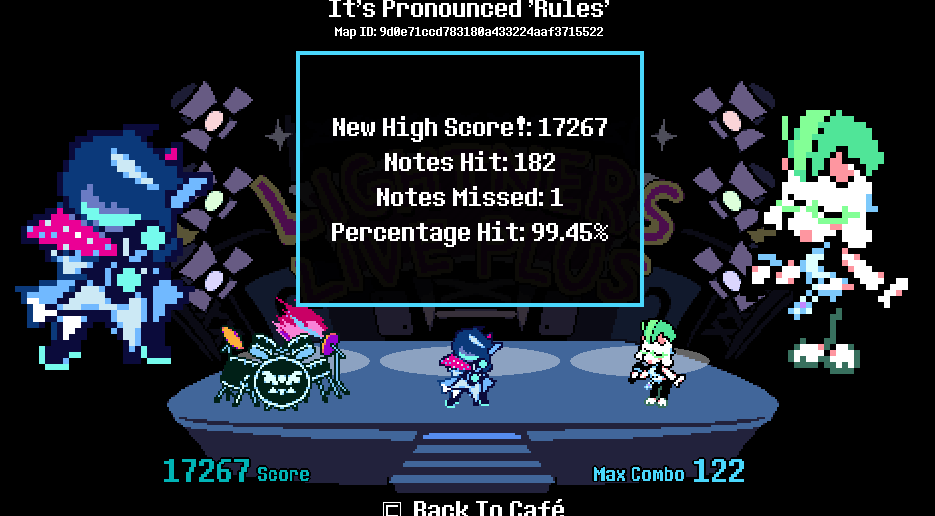
not again :(
BRO AGAIN, i'mma lock the fuck in
I was literally just thinking about how much fun a Deltarune rhythm game would be and how I would make it lol still might, but not until I've beaten all of these songs!!
YESSSSS new update <33333 Thank you so much for your hard work, it is appreciated beyond words!
THIS IS SICK
Just one thing about custom maps using fl studio...you need fruity edition or above.
I don't know if I installed the new version wrong or something but when I get a new high score on a custom map it does not update my score on the selection menu
Oops, I just realized that the fact that I made it so levels are only loaded the first time you open the game means that scores aren't updated in the menu, I'll have a patch out to fix this soon! Don't worry for now though, your scores are still saved, and they'll show in the menu if you fully restart the game.
Edit: Fixed in the V1.4.1 patch!
Got the same issue sadly
DANCING TENNA
BOTTOM TEXT
i love that susie never stops mashing the drums even after the song ends please never patch it out
So good! can't wait to rage at black knife and jam to Need A Hand and Dark Zone
Very goated
Thank you for making this
Harder then the roaring fraud
im adding this as a non steam game (might even try it on steam deck)
There are currently 2 issues that bother me, you can't scroll down by holding down (only pressing) in the custom song menu and part of Checker Dance is undercharted
Thanks for pointing out that the scrolling was broken, turns out I accidentally wrote "CustomLevelSelection" instead of "customLevelSelection" in the scroll code. It's fixed now!
is there any way to increase the window for hitting notes? ive tried half a dozen different latency settings but notes sometimes just arent registering right for me, even when i hit them dead on. also, i cannot get the latency map to work for some reason. i downloaded the program and its saying some stuff about browsers which shouldnt be relevant, but i use brave as default. otherwise great stuff!!!!!!!!
If your latency is perfect in Browser, try -5 latency.
the game sometimes lags making me not get some notes
Please add a setting to remove the lag detection message if possible, it gets to be very distracting, especially when I go to play a song and it immediately pops up. Other than that the game is great!
And I definitely appreciate the fact that it was at least made a bit smaller than it was before lol
Yeah it's currently too sensitive, making it sometimes show up even when the map doesn't break at all. In the next update it'll only appear if the map is already breaking. I'm also making it so that it'll only show up once, so after you go back to the café it won't show up again when you play more maps (until you restart the game fully)
are you planning to add ch3+4 songs now that theyre out?
Yes, the next update will have Ch3 maps, should be out early next week! (mayyybe this weekend at the earliest if I'm able to get it done super quickly, but most likely next week) Ch4 maps will come in a later update. I was originally going to bundle Ch3&4 maps together, but I decided I might as well not make people wait if Ch3 maps are done
LET US HAVE A SETTING TO PLAY AS RALSEI OR SUSIE PLEASEE
Yeah that would be cool, I'd like to implement that at some point
yknow
being able to adjust the keybinds would be nice
Yes I'd like to implement a keybind menu at some point
I did everything mentioned, txt to bat and it still crashes with the errors being (Not the first 3 errors and 1 warning):
ERR: DisplayD3D.cpp:157 (CreateRendererD3D): Failed to create D3D renderer: DXGI 1.2 required to present to HWNDs owned by another process.
ERR: Display.cpp:1083 (initialize): ANGLE Display::initialize error 12289: No available renderers.
ERROR: Can't initialize an EGL display.
at: (drivers/egl/egl_manager.cpp:107)
ERROR: Condition "gldisplay_id < 0" is true. Returning: ERR_CANT_CREATE
at: window_create (drivers/egl/egl_manager.cpp:253)
ERROR: Failed to create an Opengl window.
at: (platform/windows/display_server_windows.cpp:6306)
ERROR: Failed to create main window.
at: (platform/windows/display_server_windows.cpp:7022)
ERROR: Unexpected window message 0x1f recieved for window we cannot recognize in our collection; sequence error.
at: _handle_early_window_message (platform/windows/display_server_windows.cpp:4476)
Oh weird, haven't seen that. Maybe try updating your graphics drivers? If that doesn't work, what gpu do you have?
really cool project, i have a couple of questions:
i like where this has been going so far, and i'm excited to see what it becomes in the future :)
Thanks, glad you like it! I mean it being unlocked fps is one of the big benefits of mine over the original, higher fps is just objectively better for a rhythm game since it means you can be much more precise. I guess if you really want to try it at 30fps you could change your monitor settings. For now I like working on it as a solo project.
fair enough; thank you for your reply!
you should add a vs mode
agree
That would be cool, tons of other stuff to do first though
This is super neat, I like and appreciate this project of yours. Keep it up!
once iget the downloadable version, i can't open it. do i have to install some external app or something? i'm not experienced with this kind of stuff
No external app needed (well, you can use the itch app for auto updates, but that's not required). It should just open when you run the exe, but sometimes that doesn't work on some PCs. To fix it, try this:
Create a new text file inside the folder you extracted the game in, name it however you want, then open it and paste this:
"Deltarune Lightners Live Plus.exe" --rendering-driver opengl3
Change the file extension from ".txt" to ".bat".
Now open the ".bat" file, which should run the game
If that still doesn't work, look in the command prompt window that will have also appeared when you ran that ".bat", and see if it outputs any errors when it crashes. Ignore the 3 red extension errors, and 1 yellow icon warning, they're known and shouldn't ever cause it to crash. But let me know if there's other ones, since that could explain the cause so I can fix it.
okay, thanks. It now works!
This would be so cool on Android ngl
I'd like to look into that at some point. For now you can try loading the web version in your mobile browser, since I did add touch controls, but it can be kinda buggy
can't load download ver. pc: windows 10. plz fix
Try this:
Create a new text file inside the folder you extracted the game in, name it however you want, then open it and paste this:
"Deltarune Lightners Live Plus.exe" --rendering-driver opengl3
change the file extension from ".txt" to ".bat".
Now open the ".bat" file, which should run the game
If that still doesn't work, look in the command prompt window that will have also appeared when you ran that ".bat", and see if it outputs any errors when it crashes. Ignore the 3 red extension errors, and 1 yellow icon warning, they're known and shouldn't ever cause it to crash. But let me know if there's other ones, since that could explain the cause so I can fix it.
for some reason I'm on mobile and the controls are offset and I can't get to put it on fullscreen
Yeah sorry about that, it's pretty buggy on mobile unfortunately, it seems to work fine for some people, but not for others
Android release please?🥺
I'd like to look into that at some point. For now you can try loading the web version in your mobile browser, since I did add touch controls, but it can be kinda buggy
GG BIG SHOT 36124!Very cool game :V
i just got 95% on giga size im so proud of myself
MacOS release?
I'd like to look into that at some point
what triggers the image_friend appearance?
It's just a 0.1% chance when you load into the café lol :)
Hey, do you think you could export a native linux build? Godot has export templates for linux :3
Agreed, a native build for Linux would be really nice
I wanted to have a Linux version ready to launch at the same time as the Windows build, but unfortunately it had some problems, specifically the metadata for the maps wasn't being read. Hopefully I can get this fixed at some point, and I'll release it then. Until then, I've been told that running the Windows build with Proton or Wine works! Note that there may be some bugs with this, I haven't been able to try it myself.
I think there's an app called wine for linux that let you use windows app's
this is so fun! would there be any way to add support for custom sprites or anything?
Thanks! Maybe eventually, but there's tons of other stuff I want to add first, Ch3 maps are the next thing I'm working on
why is it that any custom map I download it doesn't work when I play it?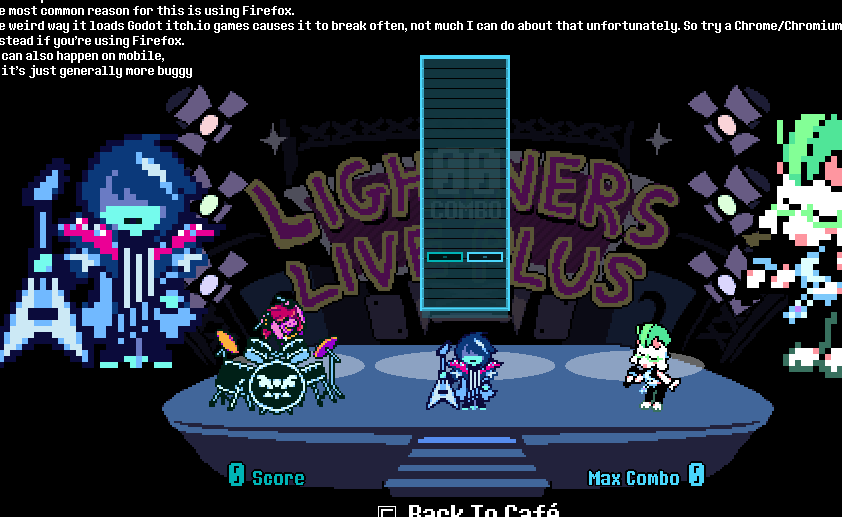
other than that great game
Hmm I've never seen custom maps specifically fail to load like that, not sure why that would happen. It seems like it's somehow failing to load the midi, double check the midi is there and named the same as the folder it's in
That's because I think the frame rate cap of this is 60 when deltarunes is 30
i opened the exe and got this
a few seconds later it stops responding
fuck am i doing wrong![]()
um
https:// files . catbox .moe / kmcd5a .png without spaces
Huh weird, I haven't seen that before. Try updating your graphics drivers. If that doesn't work, try this:
Create a new text file inside the folder you extracted the game in, name it however you want, then open it and paste this:
"Deltarune Lightners Live Plus.exe" --rendering-driver opengl3
change the file extension from ".txt" to ".bat".
Now open the ".bat" file, which should run the game
I did the second solution, now it works, thanks
Great game! I've been having fun playing and creating custom charts
If i could request some features, that'd be a lowest mistakes score for each song and a total score for all vanilla map (for both total score and lowest mistakes)
Thanks! Yeah I'd like to add more to scoring at some point.